


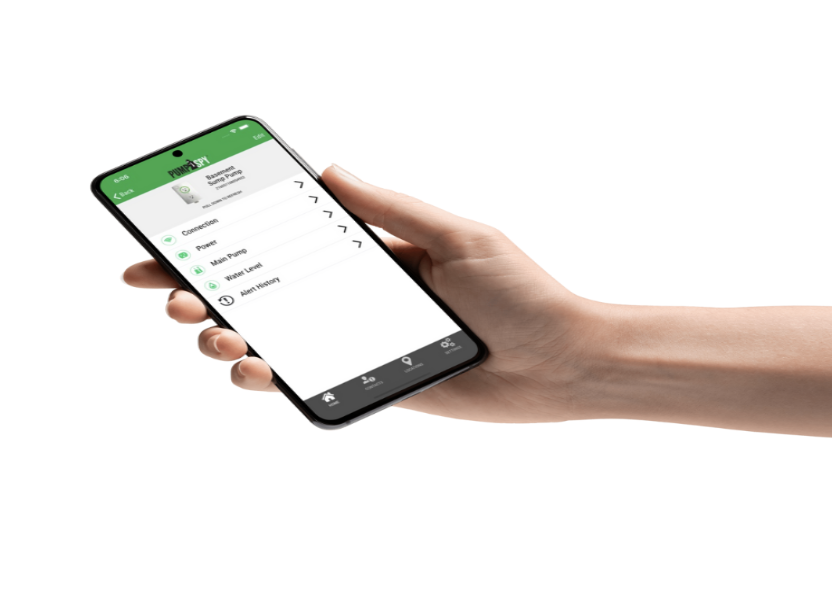
A high water alert from your PumpSpy app is not something to ignore. It’s your home’s way of waving a red flag that water levels in your sump pit are rising beyond normal, and if unchecked, can lead to flooding, water damage, and costly repairs.
If you’ve received this alert, don’t panic. Here’s exactly what you should do, step by step.
1. Understand What the Alert Means
PumpSpy continuously monitors your sump pump system via Wi-Fi. A high water alert is triggered when the water in your sump basin exceeds the float switch threshold and the pump hasn’t responded as expected. This could indicate:
- A stuck or faulty float switch
- A power outage
- A pump failure
- A clogged discharge pipe
- A disconnected or blocked check valve
2. Check Your Power Source
Before diving into the pit (figuratively), confirm the obvious:
- Is the sump pump plugged in?
- Has there been a power outage in your area?
- If you have a battery backup system, is it functioning?
Tip: If you’re away from home, use your PumpSpy app’s diagnostics to see the last recorded power status.
3. Inspect the Sump Pump
If you’re home and it’s safe to enter the basement or crawl space:
- Visually inspect the pump and basin.
- Listen for any unusual sounds. A humming without water movement may indicate a stuck motor.
- Lift the float manually. If the pump doesn’t activate, there’s likely an electrical or mechanical failure.
Be cautious: If water is already present on the floor, avoid stepping into it unless you’re sure the power is disconnected.
4. Check the Discharge Line and Check Valve
A blocked or frozen discharge pipe can prevent water from exiting, causing it to back up. Also:
- Make sure the check valve is properly installed and not jammed.
- Look for debris, ice, or signs of sediment buildup in the pipe.
PumpSpy can’t physically remove blockages, but it can tell you when your system isn’t behaving correctly.
5. Run a Manual Pump Test
If the water level is high but the pump seems functional:
- Pour a bucket of water into the basin.
- Watch if the pump activates and drains the water.
- If it doesn’t or only partially does, your pump may be undersized or in need of replacement.
6. Use the App to Monitor in Real-Time
One of PumpSpy’s best features is real-time updates. Use it to:
- Track if the water level is going down after your intervention.
- Monitor whether the backup pump kicks in, if installed.
- Run system diagnostics or share the alert with a plumber if needed.
7. Call for Professional Help if Needed
If you’re unsure or the issue persists:
- Contact a licensed plumber or waterproofing specialist
- Share your PumpSpy diagnostics with them (easily exportable via the app)
- In emergency cases, use a wet vac or portable utility pump as a stopgap
8. Prevent It from Happening Again
Once the crisis is averted, take proactive steps:
- Schedule regular maintenance for your sump pump system
- Test your backup power source monthly
- Clean out the pit and check valve every few months
- Ensure the discharge line slopes correctly and exits far from your foundation
A high water alert from your PumpSpy system is serious, but also manageable when you respond quickly and smartly. Thanks to the app’s smart diagnostics and instant alerts, you have the tools to act before damage occurs. Stay vigilant, stay dry, and let your smart sump pump system do the heavy lifting.